Choosing the Right Outfit and Pose for Your AI Headshot Generator Input Photo
An AI Headshot Generator can produce great professional pictures within seconds, but the quality of the output usually relies on the photo you use as the input. The right outfit and pose can really make a difference in how polished and authentic your AI headshot comes across. Knowing what affects how AI interprets you can lead to better results.
Selecting the Right Outfit
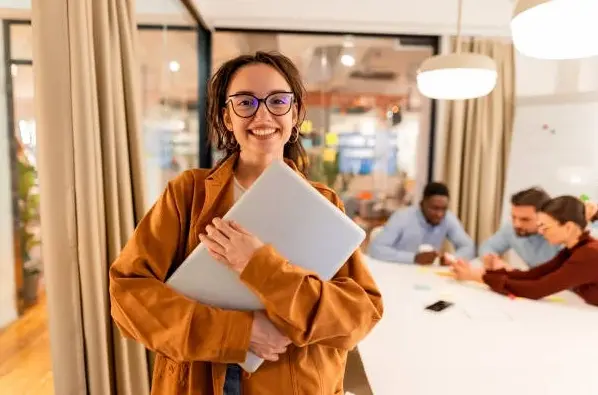
The first step to a great AI headshot is picking the right outfit. The AI can manipulate lighting and background, but it looks to your input photo for hints about your style, level of professionalism, and personality. Solid colors are best for most professional environments. Patterns, logos or extremely bright colors can distract from your face and may not render well in the AI image.
Neutral tones like navy, black, grey, or white are often ideal for business headshots. They convey professionalism and ensure the focus remains on your facial features. If you want to convey a creative or approachable image, softer shades or subtle pops of color can be effective, but it’s best to avoid anything too busy. The AI Headshot Generator interprets clothing as part of the overall aesthetic, so simple, clean choices generally produce the most polished results.
Accessories must be minimal as well. Big pieces of jewelry, hats, or casual elements confuse the AI and cause it to make your final headshot less realistic. Just keep it simple, and let the AI bring out your facial features and add a background to make it look like a pro.
Posing for Maximum Impact
Posing is equally as crucial as what you wear when preparing your input photo for an AI Headshot Generator. It draws on signals from your body posture, facial expression, and head pose to create a believable and attractive picture. A natural, relaxed posture should do the trick. Avoid rigid and~unnatural poses which can make your AI-generated headshot look unnatural.
Most professional headshots~are taken at a slight angle, with the subject’s shoulders turned just a little bit away from the camera, while the subject’s head remains facing forward to add depth and dimension. Keep good posture, but make it relaxed. Smiling Slightly or Neutral Expression are too friendly while neutral expression are better at being professional. Don’t make over the top faces - the AI can misinterpret them and distort your facial features.
The lighting in your source image also affects the pose. Uniform, soft lighting makes for pleasing highlights and shadows that enable the AI Headshot Generator to deliver a strong and natural final output. Natural light from a window or nebulized lighting setups are great. Shadows or strong light can make your features harder to read, and that diminishes the AI’s ability to deliver a polished output.
Preparing Your Input Photo
Before you upload a photo to an AI Headshot Generator, you need to prepare it well. Select a photo that shows your face and shoulders clearly. Don’t use photos that are too small, blurry, or taken from unusual angles. The AI uses the facial features in the photo to map and create a professional image, so the clarity is very important.
Simplicity of the background is also required. A solid color background removes distractions and allows the AI to concentrate on your face. Although some services let you change the background, clean input images result in better outputs and less work for the AI.
Combining Outfit and Pose for Best Results
The combination of outfit and pose determines how effective your AI-generated headshot will be. Wearing a professional, well-fitted outfit and maintaining a natural, confident pose ensures the AI has high-quality data to work with. This combination allows the AI Headshot Generator to produce images that look realistic, polished, and aligned with your professional or personal branding goals.
Experimenting with a few different input photos is often worthwhile. Small variations in posture, expression, or attire can yield noticeably different AI-generated results. By providing multiple high-quality options, you increase the chances of producing a headshot that meets your expectations.
Looking Ahead
With the pace of advance in AI technology, headshot generators will get better and better at reading subtle signals from input images. Although, outfit selection and posing will always be a major importance. Spending just a bit of time to pick your outfit, try out your pose and get prepared for your photo can make a world of a difference in your final AI-generated headshot.
So, the bottom line is getting best cr after feat with an AI Headshot Generator starts even before you have uploaded a photo. An adjustment in the AI’s machine learning model application process makes it more sensitive to these considerations (outfit, pose, lighting, the photo quality), so you can rest assured that you’re putting your best foot forward and that the AI will bake that into your end product. With a bit of knowledge of these factors, you will be able to leverage the power of AI headshots and ensure your visual representation consistently aligns with your profiles.
Also Read-How Corteiz Materials That Define Lasting Quality In Fashion
